
InterTune
dev.skye.intertune Zapstore _@zapstore.dev
 Material 3 local music player and YouTube Music client
Republished from GitHub / F-Droid by the Zapstore main account.
_InterTune_ is a fork of [OuterTune](https://github.com/OuterTune/OuterTune), which is itself a fork of [InnerTune](https://github.com/z-huang/InnerTune). It is both a local media player and a YouTube Music client. **Features:** - YouTube Music client with song downloading for offline playback, background playback, no ads, and account synchronization - Local audio file playback (MP3, OGG, FLAC, and more) - A custom tag extractor rather than MediaStore's metadata extractor, so tags delimited with a backslash show up properly - Play local files and YouTube Music songs in the same queue - An offline tab listing the songs already cached on the device, so you can see what will play with no connection - Integrated library screen design - Multiple queues - Synchronized lyrics, including word by word and karaoke lyrics (LRC, TTML) - Audio normalization, tempo and pitch adjustment, and other audio effects - Choose where Quick picks comes from: YouTube Music, Your library, or Best recommendations, which builds the row on your phone from how you listen - What's playing? names the song around you, using Shazam, and can fill a playlist with what it hears - A home screen widget that takes the shape of its size - Spatial audio on any headphones, with head tracking on supported ones - Android Auto support **What it connects to:** - YouTube Music, for everything you search, play, download or sync. Signing in is optional. - LRCLIB and KuGou, to find lyrics for the song that is playing. Each can be turned off. - Shazam, only while you have it listening. A sound fingerprint is sent, with the time and your time zone, never the recording. The cover of a song it finds is loaded from the address Shazam gives. - Last.fm, only if you turn it on. To find similar songs it is sent the title and artist of songs you play, and once of the songs you liked or played in the last month, with no account. If you connect a Last.fm account, the songs you play are also recorded on it, with album, length and the time they started. You sign in on Last.fm's own page. - GitHub, only if you turn on the update check or tap Check for update yourself. The app can then download a new release and hand it to Android's installer, which always asks you first. A copy installed from F-Droid is sent to F-Droid for its update instead. - Polls and announcements, only if you turn them on. They are read from a GitHub gist, and a picture in one is loaded from the address it gives. Opening or answering one is counted on Umami Cloud, with no account and no device identifier. - The usage count, only if you turn it on. Once a day at most it tells Umami Cloud the app is in use: a random name that changes every month, whether it was installed from F-Droid, and the app and Android versions. **Notice:** - Android 8 (Oreo) and higher is supported. The app may work on Android 7.x, but that is not officially supported. - InterTune is in a stable beta phase. It can certainly be used as your main music player, but expect the occasional bug, incomplete feature, or unexpected behaviour. Please report anything you find. - Issues and questions: [https://github.com/ItzSkyeYT/InterTune/issues](https://github.com/ItzSkyeYT/InterTune/issues) InterTune is not affiliated with, sponsored by, or endorsed by Google or YouTube.
First release: Oct 17, 2026, 2 total releases.
Most recent release: Oct 20, 2026.
Appears in 0 app stacks.
0 sats / 0 zaps received in the past year.
Sats Received
Underlying data available via MCP: app_zaps, app_releases.
Zap Count
Underlying data available via MCP: app_zaps, app_releases.
Releases
- Oct 20, 2026 0.12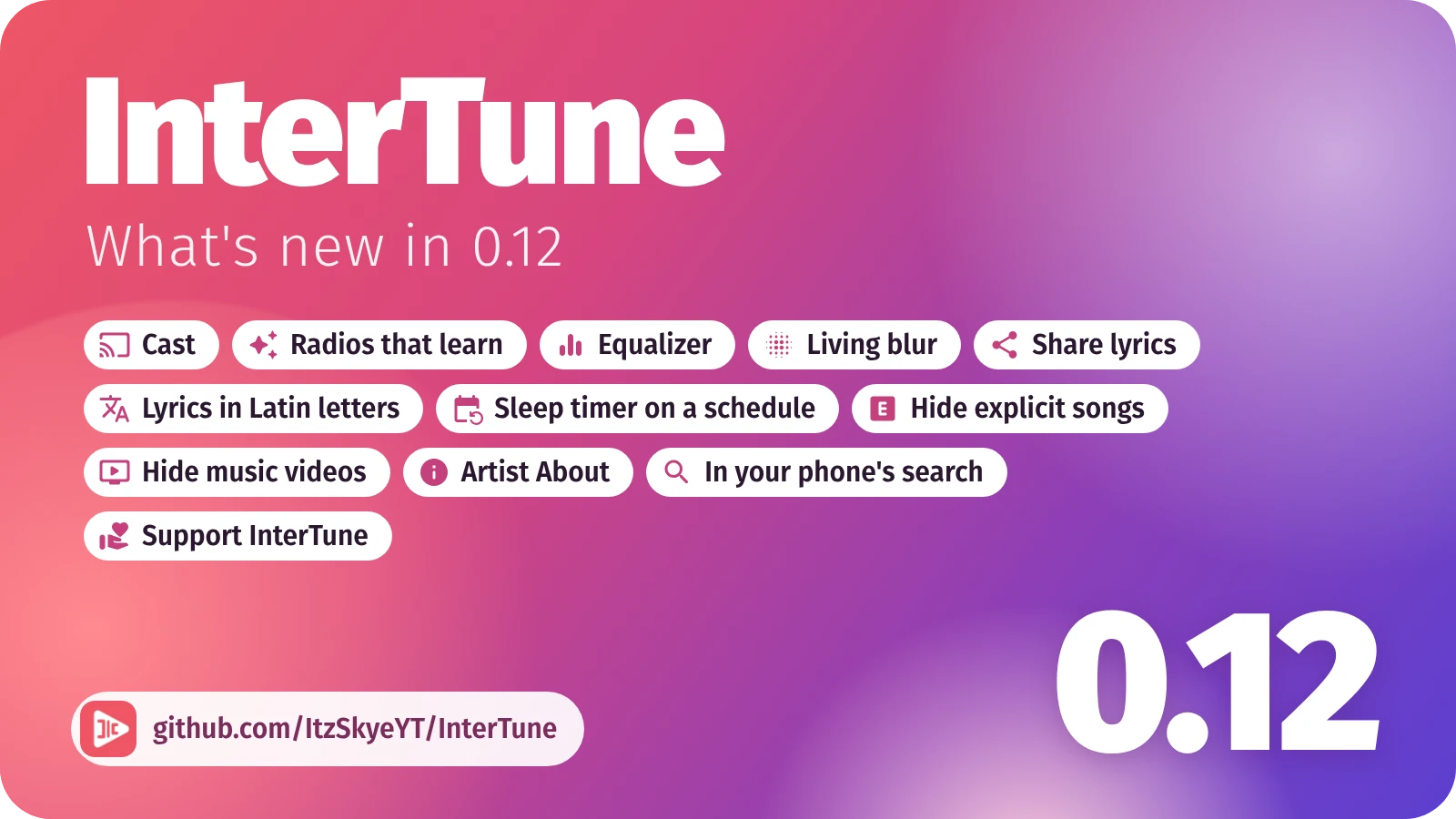 **Cast to a TV or speaker.** A pill under the player's controls says where the music is playing. Tap it to send the music to a Chromecast or Google TV, to a TV or computer running the FCast Receiver app, or to a DLNA TV or speaker on the same Wi-Fi, and set the receiver's volume from there. The phone stays awake and sends the music while it casts. **Radios that learn as you listen.** On a radio or a mix, the songs further down now change with what you do. Skip two songs by one artist and the rest of theirs make way for new picks like the songs you let play. Like a song and two songs like it join right after the next two. What you keep skipping over the days counts too. The next few songs never change, nothing moves while the queue is open, and a playlist or album you chose plays exactly as chosen. A line in the queue says what changed, and new picks are marked. Settings > Player and audio > **Keep radios up to date**. **Equalizer.** Ten bands from deep bass to the top of the treble, a few ready curves, or the curve measured for your own headphones by AutoEq. Settings > Player and audio > **Equalizer**. **Living blur.** The player's background can now move with the music: it breathes with the song and glows round the cover on every beat. Pick it under Settings > Look and feel > **Player background style**, where its strength, smoothing and colours can be tuned while a song plays.
More…
**Share lyrics.** From the lyrics' menu, copy the lyrics, share them as text, or tap the lines you want and send them as a picture over the song's colours, or as a video of up to a minute with the song playing. **Lyrics in Latin letters.** Lyrics in Japanese, Korean, Chinese, Russian and some other scripts can show a second line in Latin letters. Turn it on under Settings > Lyrics > **Show in Latin letters**. **A sleep timer on a schedule.** The sleep timer can start by itself every day from a time you choose, for as long as you choose. Settings > Player and audio > **Sleep timer on a schedule**. **Hide explicit songs and music videos.** Two switches under Settings > Library and content, **Hide explicit content** and **Hide music videos**, keep them out of Home, search and artist pages. A song you pick yourself still plays. **About the artist.** An artist's page has an About section: the description, the monthly audience and the subscribers. **InterTune in your phone's search.** On phones whose own search looks inside apps, such as Samsung's, your songs, artists, albums and playlists show up there, then YouTube Music's. A queue started from the phone's search or Google Assistant is named after what you asked for. **Support InterTune.** InterTune is free and has no ads. Settings > About > **Support InterTune** says how to donate, by a message on the Discord server, and thanks those who already gave. ## Fixed - On a Samsung phone, an update that Auto Blocker stops no longer looks like nothing happened: the update prompt says so, opens Auto Blocker for you, and keeps the download for the next try. Still on an older version? Turn Auto Blocker off for a moment under Settings > Security and privacy > Auto Blocker to install this one, then back on if you like. - **"What's playing?"** recognises songs that are sped up or slowed down when you tap **Listen once**: when Shazam knows nothing of what it heard, it asks again with the sound put back to its usual speed. - Signed in, songs only an account may play, such as age-restricted ones, play again: they are asked through YouTube Music's web client, which YouTube still answers. - Signing in no longer stops on "Webpage not available" when Google ends the sign-in with a link to the YouTube Music app (#28). - A radio no longer brings back a song it already played, and a radio YouTube answers with only its own song goes on from the songs related to it. - **Toggle lyrics** in the player's menu always sticks, and the buttons over the lyrics have names for TalkBack. - The Blur background is blurred once per cover instead of on every frame, which saves battery. - Rows that are a single switch, such as Keep listening, read as one switch with TalkBack. - With Liquid glass on, the close button of the page that shows what is new is frosted over the page. - Turned on its side, Home and the other pages no longer start under the tabs on the left. - InterTune no longer offers itself in its own share sheets. - Pressing back several times quickly no longer slows the panels down: each press goes on to what is under them (#31). - A song YouTube no longer serves says so plainly instead of "Source error 2000", and InterTune looks for another upload of it (#29). - Seeking back into a song's opening brings the lyrics back to their start. - When the music stops without you asking, the app notes why, and Settings > About > **Submit a bug report** shows the last five such stops, ready to paste into the report. - After the app is closed and opened again, a radio still shows the songs it already played. - The Search lyrics box shows its search fields again, and boxes for typing a name show their field with the phone on its side. - Oct 17, 2026 0.11.6_Music that comes back by itself, and fixes for 0.11.5._ **Music back on Bluetooth.** Music that stopped because your headphones, car or speaker went away can start again when Bluetooth audio connects within 30 minutes. Music you paused yourself stays paused. Turn it on under Settings > Player and audio > **Resume when Bluetooth connects**. **Name a song from Quick Settings.** A Quick Settings tile and a home screen button open song recognition, already listening. On Android 13 and later, the card on Home for what is new adds the tile in one tap. **No more stutter when a song comes in slowly.** Now and then YouTube sends a song slower than it plays, even on a fast network. The player kept waiting on it: a second of silence, a pause, a few seconds of music, over and over until the song was skipped. InterTune now notices when a song comes in slower than it plays and asks for it again on a fresh connection, from where it was. On a network that really is slow it leaves things as they are. **Local media's folders come first.** Under Settings > Local media, choosing the folders to scan leads the scanner, with the folders you chose named under it.
More…
**About has icons.** Every row under Settings > About wears an icon, like the rest of Settings, and the address for anything else, intertune.dev@gmail.com, shows under its row. **Clearer icons in Settings.** Audio quality, Fix song volumes and the scanner's sensitivity get icons of their own. The sound bars now only ever mean song recognition. ## Fixed - **Scan** with no folder picked, under Settings > Local media, opens the folder list instead of closing the app. - The card for what is new stays on Home until everything on it has been looked at, and **Done** at the end of a **Show me** leaves you in the setting it showed.